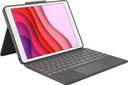


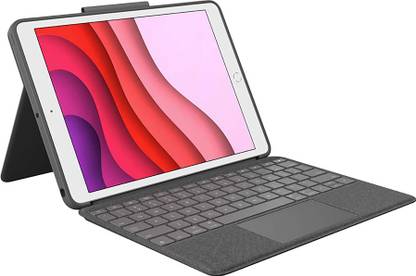
Logitech Combo Touch (7th, 8th & 9th Gen) Precision trackpad, Smart Connector Tech Bluetooth Handheld Tablet Keyboard Compatible with Desktop, Laptop, Mac Easy to Use,Plug and Play,Quick, Comfy Durable body (Black)
Logitech Combo Touch (7th, 8th & 9th Gen) Precision trackpad, Smart Connector Tech Bluetooth Handheld Tablet Keyboard Compatible with Desktop, Laptop, Mac Easy to Use,Plug and Play,Quick, Comfy Durable body (Black)


- For Desktop, Laptop, Mac
- Size: Handheld
- Interface: Bluetooth
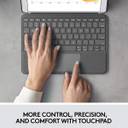
Ergonomically designed, the Logitech Combo Touch iPad Keyboard is an ideal choice. You can accurately use the trackpad of this keyboard for apps, like Notes, Pages, Numbers, and Keynotes. Additionally, you can use its multi-finger gesture to scroll, switch between apps, swipe, pinch, double-tap, and do more. Moreover, this keyboard does not require batteries because of its Smart Connector, which enables it to instantly connect and switch on. And, you won't have to charge this keyboard because it is charged directly by the iPad.
| Sales Package |
|
| Brand |
|
| Model Name |
|
| Model Number |
|
| Type |
|
| Designed For |
|
| Interface |
|
| Width |
|
| Height |
|
| Depth |
|
| Size |
|
| Weight |
|
| Warranty Summary |
|
| Covered in Warranty |
|
| Not Covered in Warranty |
|
| Warranty Service Type |
|
| Domestic Warranty |
|
| Part Number |
|
| Color |
|
| Compatible With |
|
- 5★
- 4★
- 3★
- 2★
- 1★
- 14
- 5
- 0
- 0
- 1
Terrific
Smooth keyboard 👌
Built quality is super
Bishal swain
Certified Buyer, Chittoor District
Mar, 2023

In apps, such as Numbers, Notes, Pages, and Keynotes, you can use the Logitech Combo Touch iPad Keyboard's trackpad with accuracy. And, you can use the multi-finger gesture controls, like scroll, switch apps, swipe, pinch, double-tap, and more.
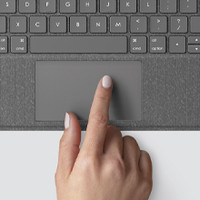
This keyboard's Smart Connector enables it to instantaneously connect and turn on with a single click, so you won't have to use batteries for it. Since this keyboard is powered directly by the iPad, you don’t have to charge it.
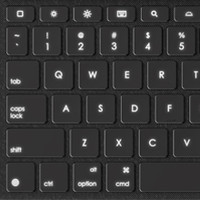
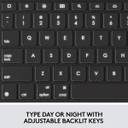
If you enjoy using your iPad at night or in low light conditions, this keyboard's backlit buttons with a range of brightness settings make it possible for you to see what you're doing. So, even when you are in the bathroom, on the plane, or in any other situation where there is little to no light, you can conveniently use this keyboard.
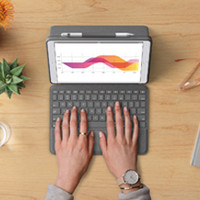
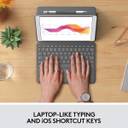
With this ergonomic keyboard that provides a laptop-like experience and features large, well-spaced keys with a complete row of iOS shortcuts, you won't have to worry about typing on a small screen. So, you can now type rapidly and precisely while feeling comfortable.
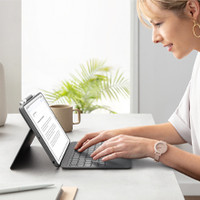
Thanks to iOS shortcuts and evenly spaced keys, typing on this keyboard is comfortable. This mechanical keyboard offers an ideal bounce for a user-friendly experience.

In Studio mode, which can be activated by pushing the screen all the way down, this keyboard lets you use a digital pencil to sketch and take notes.

You can get a hands-free viewing mode that is ideal for videos and more without having to use the keyboard.

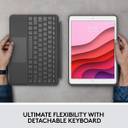
If you like to read, you may easily detach this keyboard and read books, articles, and other content as per your preference.
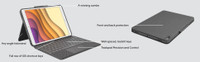
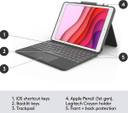
This keyboard's front and back protection, strategically positioned illuminated keys, full row of iOS shortcut keys, and multi-angle kickstand ensures optimal performance.